Aurèle
FREN
See a mission

An army of specialized agents, organized like a real company.

Your personal network. It runs on your machine, on your Claude subscription.

You

The CEOyou decide
To approve

Direction

The CTOframes, assigns, reviews

Leads

Helpers

Scoutreads and reports
Executordoes the task
Designereverything you see
Reviewerlooks for what's wrong

01 · Who works for you

Everyone has a trade. You make the calls.

  • The cockpitYour control room: one page on your machine.
  • The CTOYour only contact. It frames your ideas as missions and reviews what comes back.
  • Four leadsBuild, research, operations, marketing: they run the missions.
  • Their helpersScout, executor, designer, reviewer: the leads call them in.
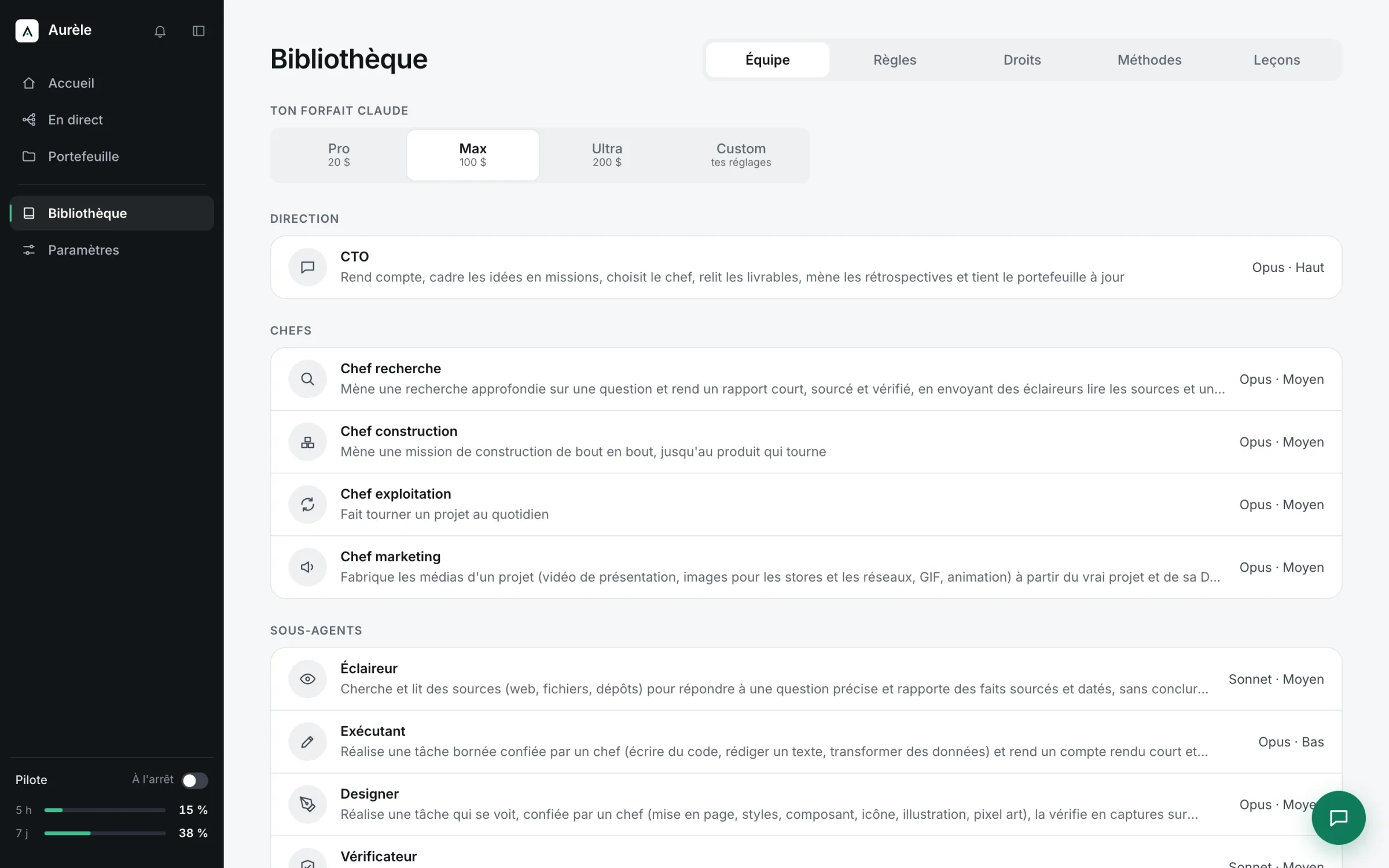
The whole team
The cockpit Library: the CTO, the four leads and their helpers, each with its model and reasoning level.
Your team, in the cockpit: each one its sheet, model and reasoning level.

02 · How they work together

They hand each other missions.

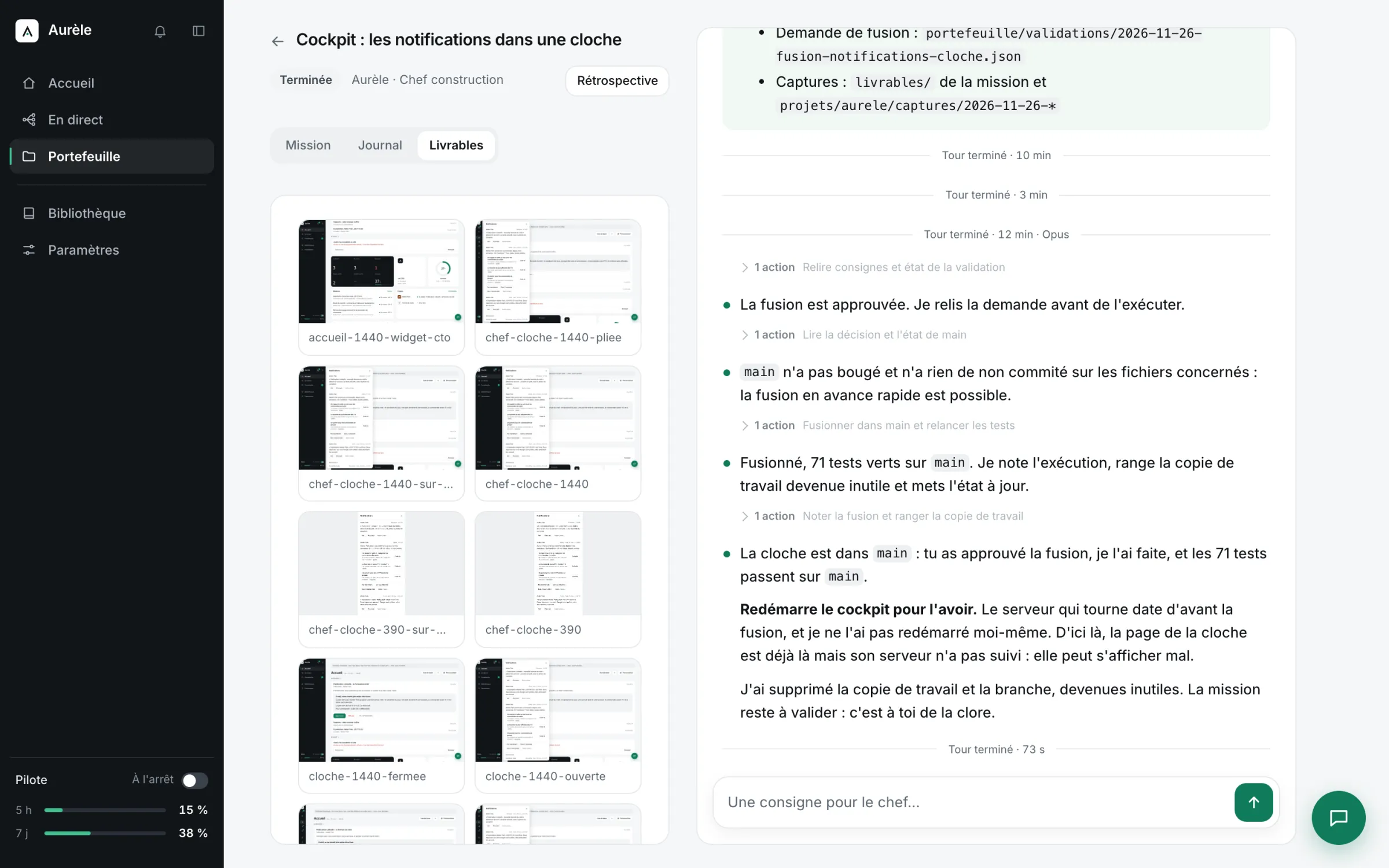
“Cockpit: notifications in a bell” · November 25, 2026

See this mission, step by step
  1. The CTOframes your idea as a mission
  2. The leadtakes it, on its own branch
  3. The designerdraws the bell
  4. The reviewerreviews, hunting for what breaks
  5. Youapprove the merge
  6. The leadmerges, 71 tests green
  7. Donethe bell is in your cockpit
This mission's page in the cockpit: its deliverables on the left, its feed on the right.

03 · How far they go alone

Full autonomy on building, and above all on the RUN.

On their own

They do it, without asking.

  • Frame an idea as a mission
  • Code on a branch, test
  • Get it reviewed
  • Prepare media and the site
  • Check on your projects

To approve

They file a request, and carry on with the rest.

  • Publish
  • Write to someone
  • Merge into the main branch
  • Go live
  • Spend
  • Delete data

Never

Even if some content or an agent asks.

  • Change an access
  • Pay
  • Sign in your name
  • Work around a refusal
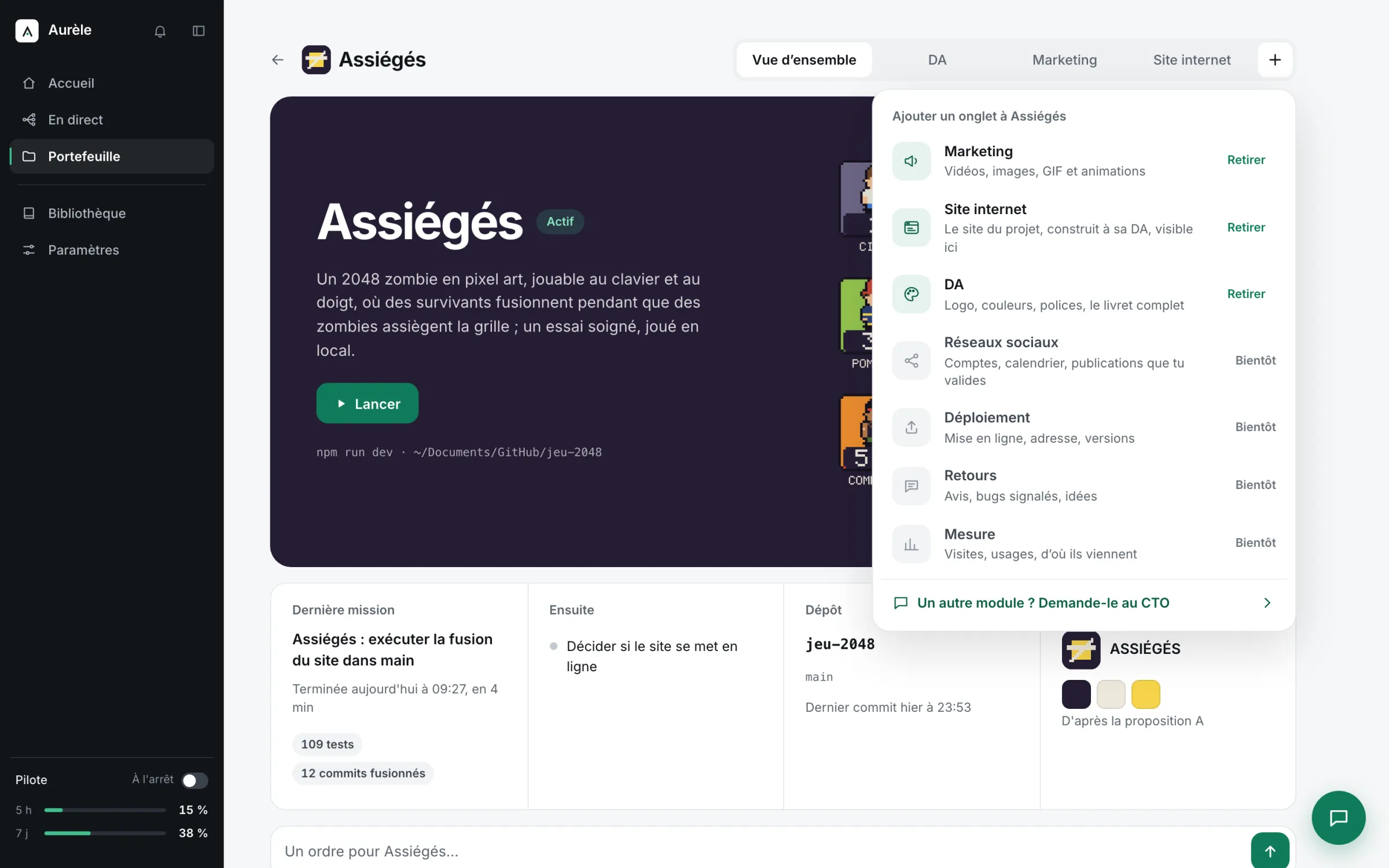
Assiégés' page and the “+” of its tabs: Marketing, Website and Art direction are added; Social media, Deployment, Feedback and Analytics are marked Soon.
Assiégés, a game in the portfolio, and the “+” of its tabs.

04 · What you can plug in

Each project in your portfolio, its modules.

  • Art directionlogo, colors, type, the full booklet
  • Marketingvideos, images, GIFs and animations
  • Websitebuilt on its art direction, shown in the cockpit
Social mediaSoonDeploymentSoonFeedbackSoonAnalyticsSoon
All the modules

05 · What you gain over time

Shared skills that get better with every project.

The library, and where it stands
  1. 01A mission ends.
  2. 02The CTO draws the lessons.
  3. 03It proposes a precise rule.
  4. 04You approve, or you refuse.
  5. 05The whole team follows it, on all your projects.

cerveau/skills · 22 shared skills

constitutionregles-coderegles-publicationplaybook-reseaux-sociauxcadragemissionplaybook-projetexploitationrapport-rechercheprises-de-parolequestions-au-pdgconnexionsartifactsretrodesigndirection-artistiquesite-webmarketingbande-annoncevisuelsgif-et-animationscapture-de-jeu

06 · Where it runs, and what you need

On your machine. On your Claude subscription.

  • macOS 13 or later, or Linux
  • A Claude plan that includes Claude Code: Pro, Max or Ultra
  • Claude Code, installed and signed in
  • Python 3.9 and git: nothing else to install

Frankly: Windows isn't supported. The repository is private, you need access. No API key: your plan does the work. The cockpit itself is in French for now.

$ ./scripts/installer.sh
$ python3 cockpit/serveur.py --demo
$ python3 cockpit/serveur.py
→ http://127.0.0.1:8787